Plymotion
A desktop app that turns any video or GIF into your Linux boot animation (Plymouth). Focused on Ubuntu with GNOME.
Can customizing the Linux boot animation be as easy as picking a video, without touching the terminal or putting the system at risk?
Plymotion takes a video or GIF, trims it and turns it into a Plymouth theme ready to install. Before you reboot, a simulator shows you how the boot screen will look.
Creating a theme
You pick a video or GIF and adjust the size, FPS and number of colors. A smaller size and fewer colors mean a faster boot.
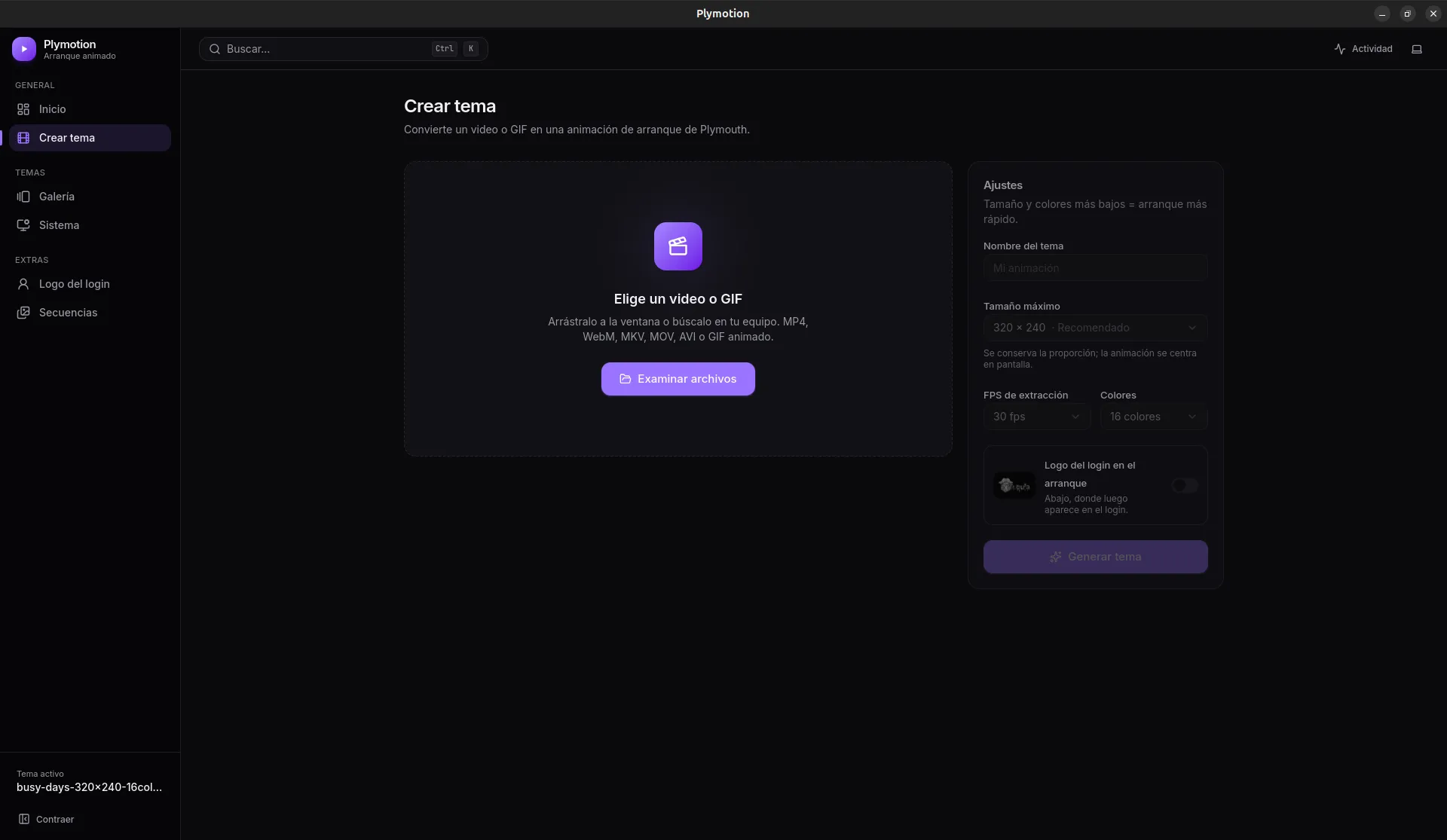 Create theme · Oct 2026
On the timeline you trim the clip and see live how many frames you’ll get and how long the loop lasts. A real boot only takes a few seconds, so a short clip looks better than a long video.
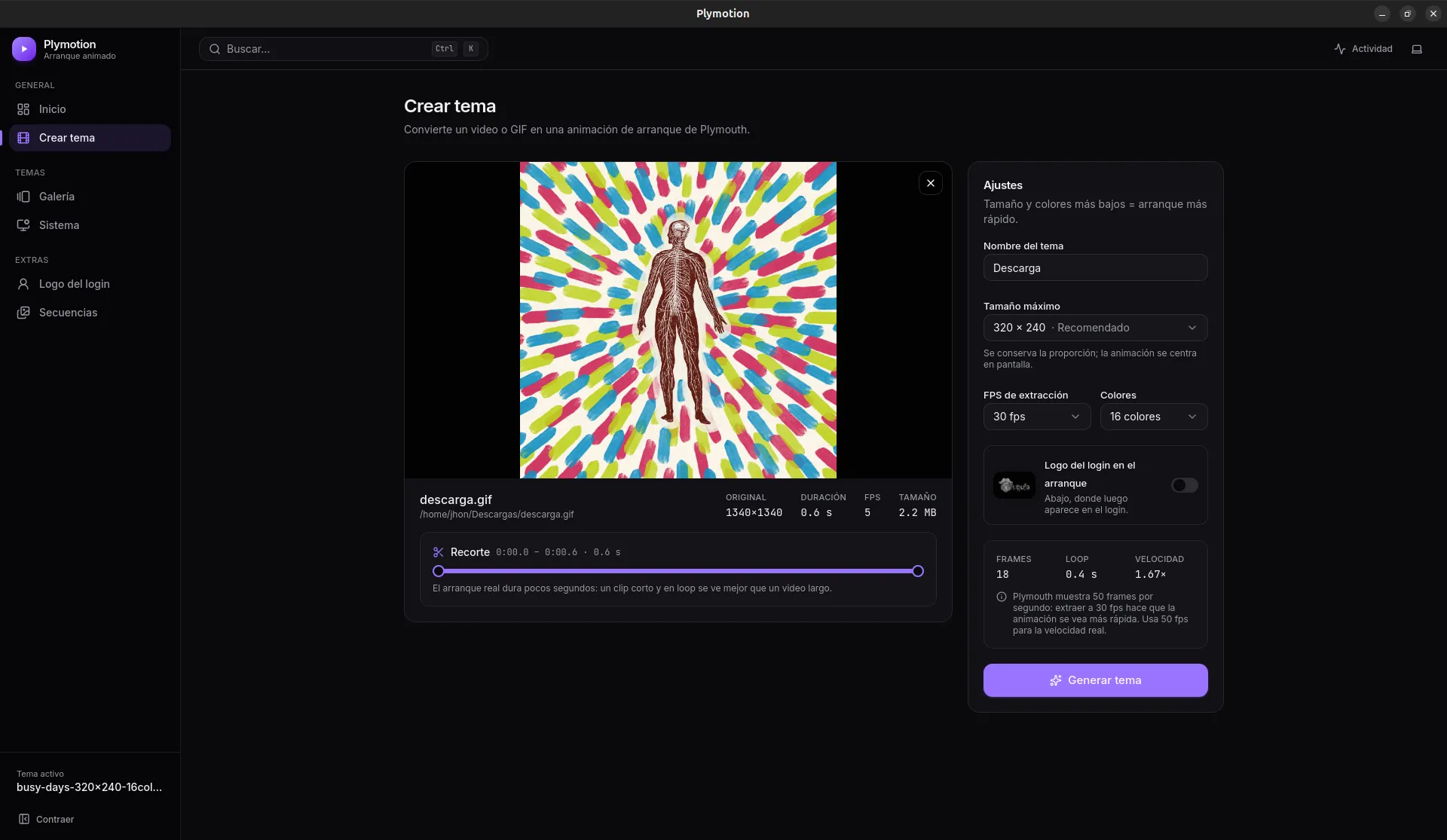 Trimming and settings · Oct 2026
Testing it without rebooting
The simulator plays the theme the way Plymouth will: at 50 Hz, at real size, on a simulated screen at the resolution you choose.
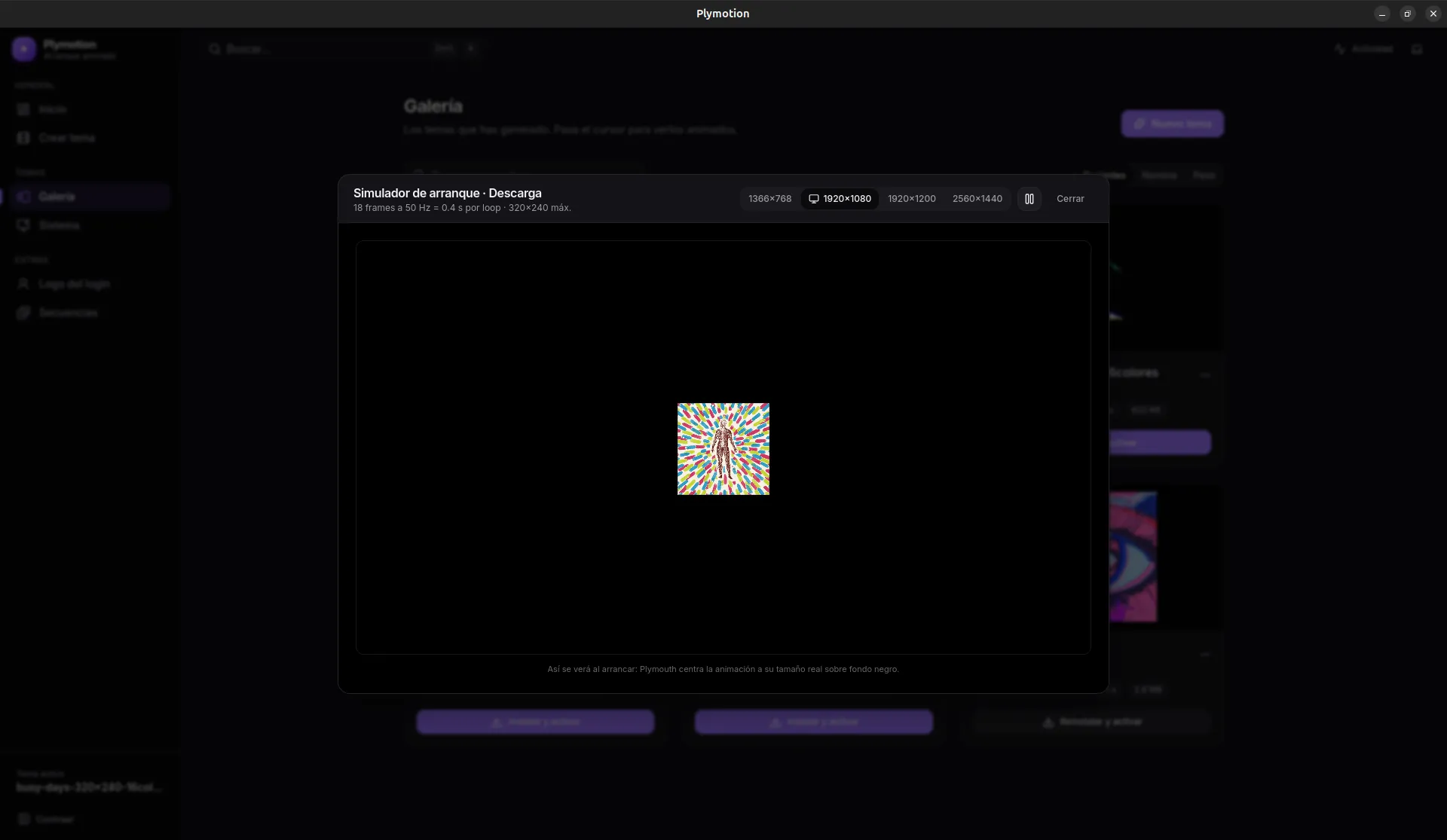 Boot simulator · Oct 2026
Gallery and system
The themes you generate stay in a gallery, animated on hover, and install with one click.
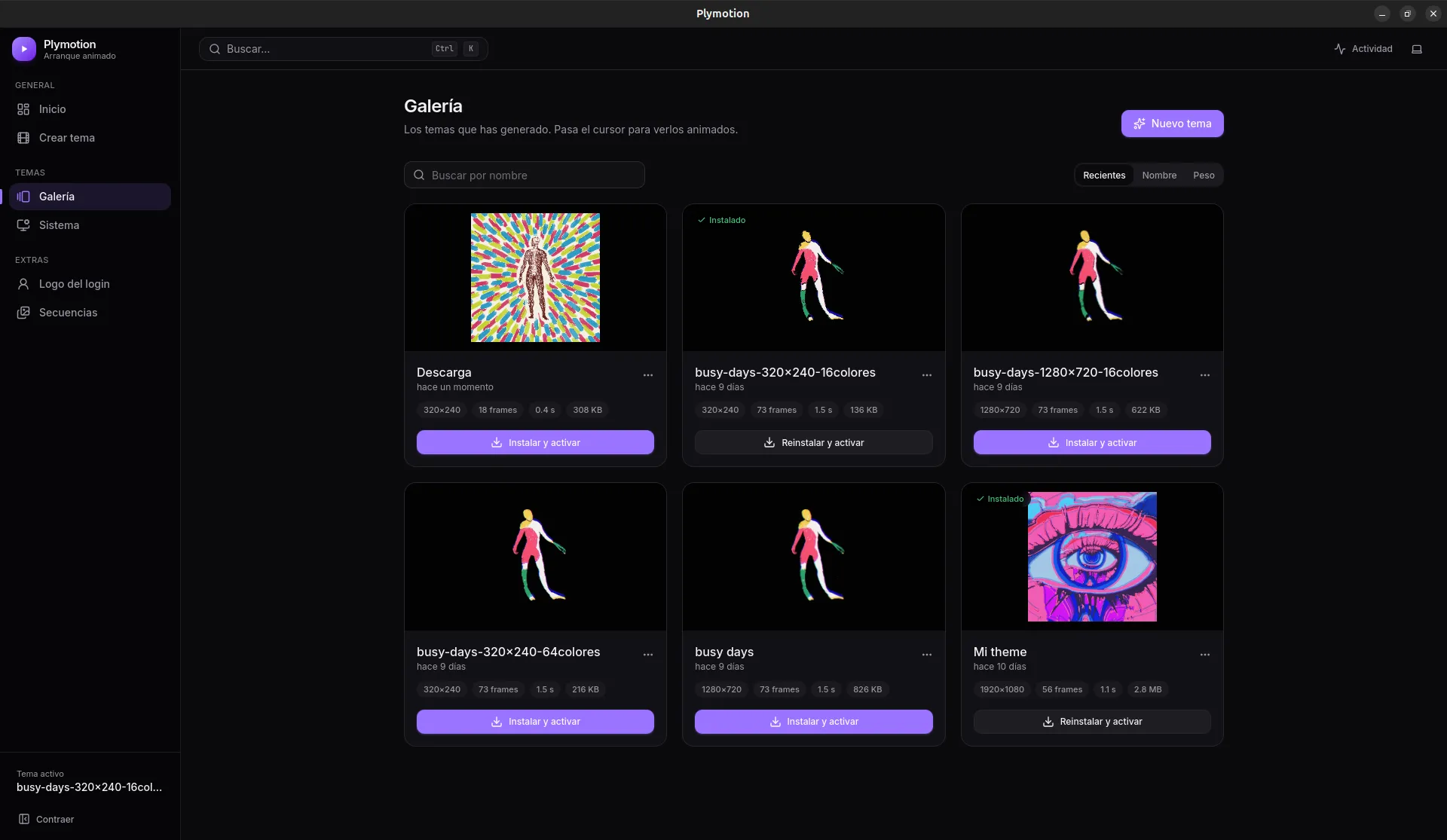 Gallery · Oct 2026
The System view lists every installed theme and which one is active. If something goes wrong there’s always a way out: a broken theme never prevents booting.
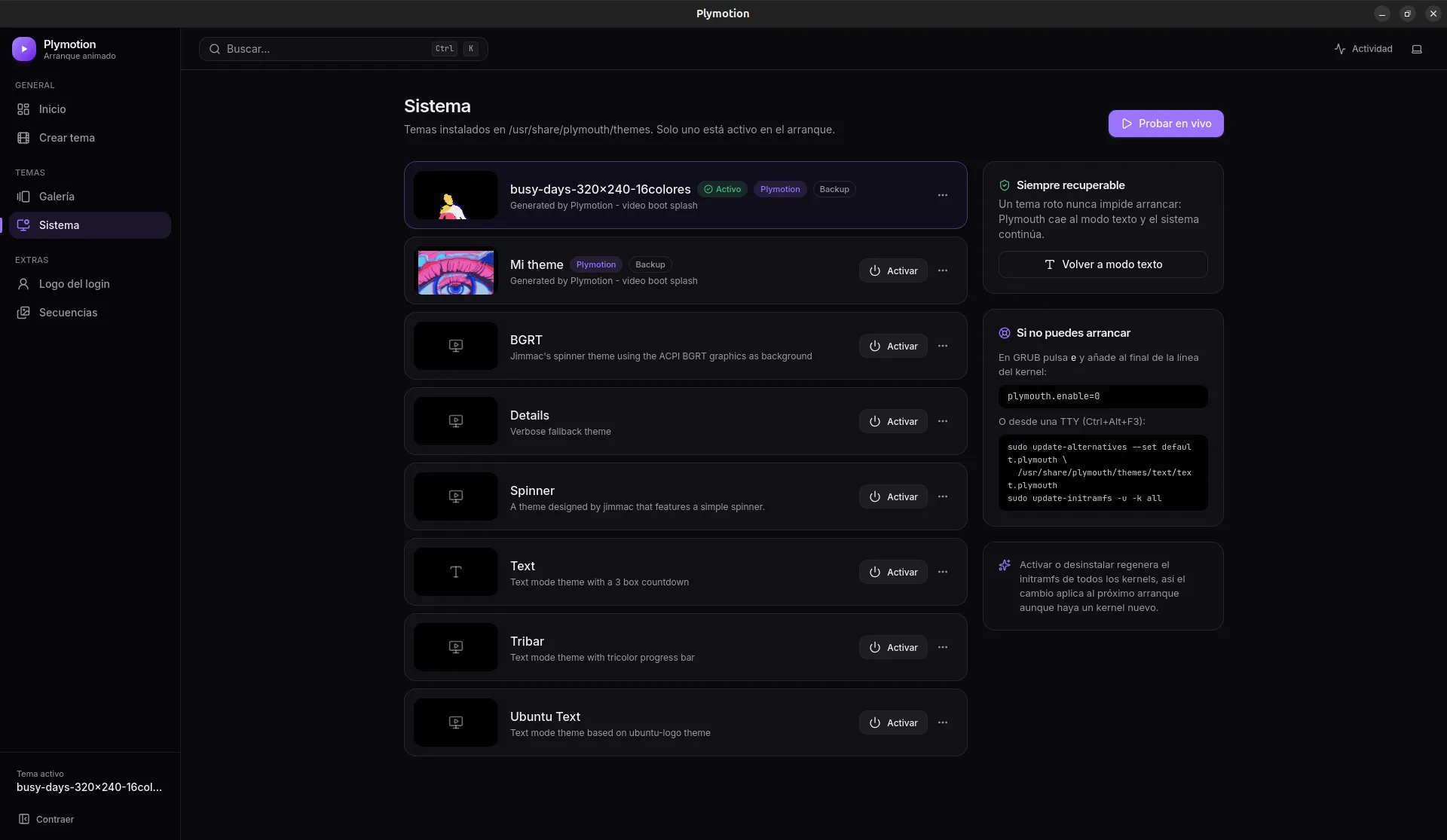 System · Oct 2026
Login logo
It also replaces the logo GDM shows on the login screen, with a real-size preview before applying it.
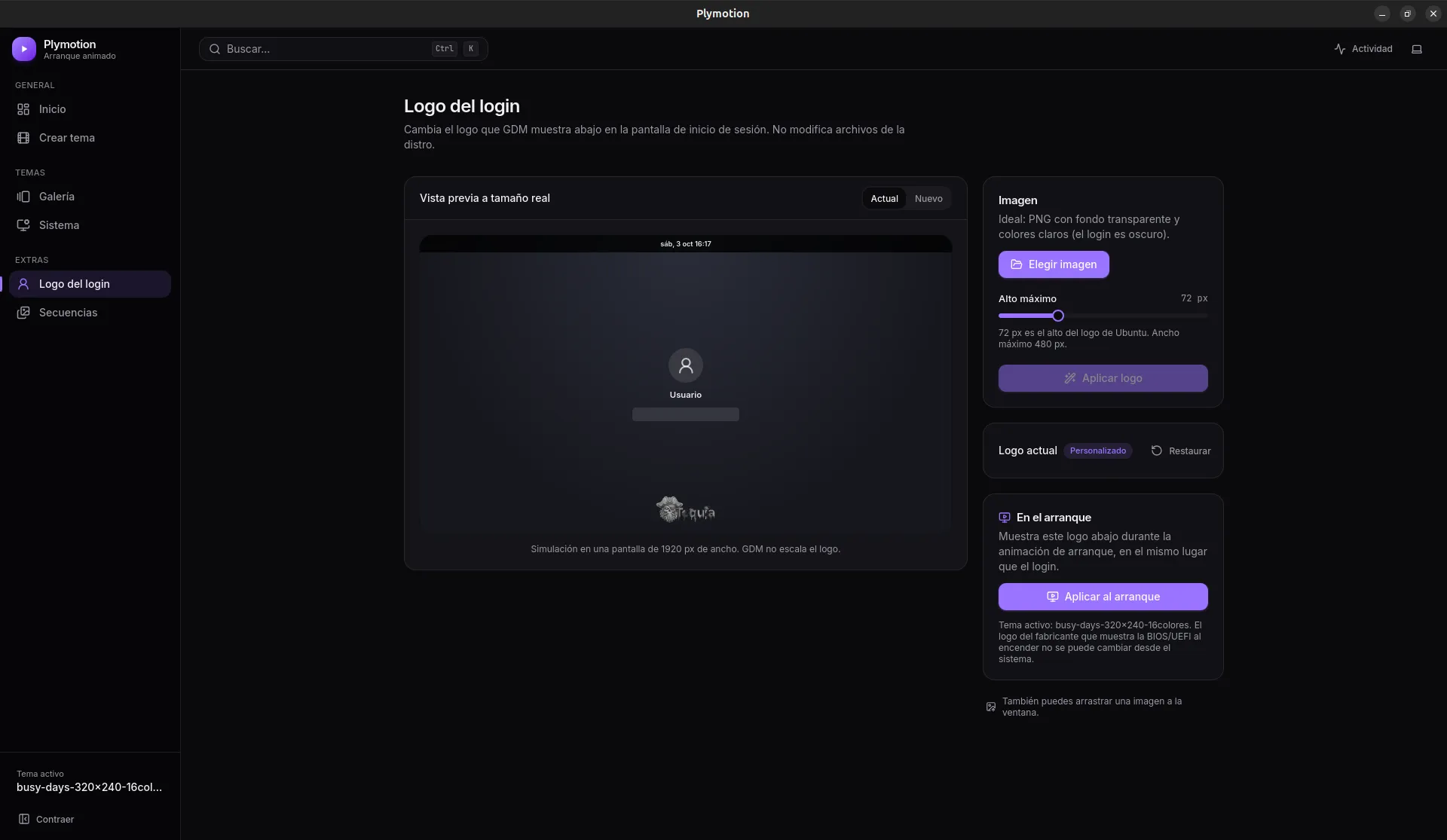 Login logo · Oct 2026
What I’m testing
- A local desktop app (FastAPI and React in a native window) that isn’t installed on the system and leaves nothing running when you close it.
- Changing sensitive parts of the system safely: automatic backups, a single
pkexecprompt per action, and a broken theme that never prevents booting.